Why your stream buffers, and what a VPN can and cannot fix
Buffering feels like a bandwidth problem and usually is not. Bandwidth, latency and jitter are three different numbers, and only one of them is normally the culprit.

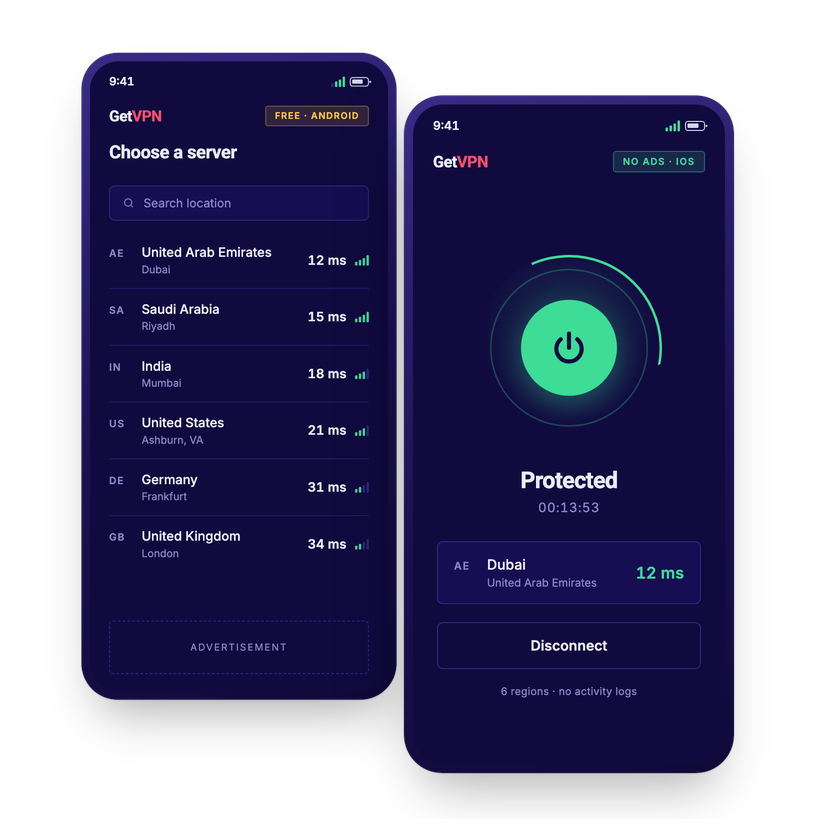
GetVPN routes you around congested peering instead of through it. Six regions, one tap, and a connection that holds up when it matters.
The bars are illustrative. The figures are not — they are measured live from your browser to each of our servers, so they are your numbers rather than ours.
Measures the real round-trip time from your browser. Per-region figures appear here once a probe is deployed in each region.
No feature list padded to twenty rows. These are the ones that change how the connection feels.
Direct routes to regional servers, so game traffic stops taking the scenic path through three extra hops.
Enough headroom for 4K without the buffering wheel, on hotel Wi-Fi and mobile data alike.
Every connection is encrypted end to end. We don’t keep logs of where you went or what you did.
Open the app, press connect. No config files, no protocol menus, nothing to read first.
Plenty of VPNs advertise ninety countries and run them all on rented boxes. These are ours, and they sit where our users actually connect from.
Latency is measured from your browser to each server when this section comes into view — so these are your numbers, not ours. They will differ from someone else’s, because distance is what dominates.
Most VPNs ask you to trust a promise not to look. There is nothing here to look at.
No sign-up, no email address, no password. You install the app and connect — we never receive an identity to attach traffic to.
We do not record the sites you visit, your DNS queries, or the contents of your traffic. Not kept briefly. Not kept at all.
A profile needs an identity and a history. We hold neither, so there is nothing to assemble — and nothing anyone could buy from us.
Apple and Google process every payment. We are told a purchase happened so the app can unlock, never who made it.
Two exceptions, stated plainly. The free Android app carries Google advertising, and this website uses Google Analytics. Both are operated by Google under its own terms, both are set out in full in our Privacy Policy, and neither can see your VPN traffic. A privacy claim of absolutely zero everywhere is not one you should believe from anybody — so we are not making it.
You are not really choosing between these two — whichever phone you are holding has already decided. What runs behind them is identical.
Whichever you install, you get
The Android app is funded by ads, so it can be free to install. The iOS app carries no ads at all, so it is a single $5.99 payment instead. Both connect to the same servers with the same encryption — the difference is how each one is paid for, not what it does.
Sometimes, and it depends on your route. If your provider sends traffic through a congested or roundabout path, connecting to a nearer GetVPN region can shorten it. If you already have a clean direct route, a VPN adds a hop and ping goes up slightly. Test it before you rely on it.
We do not log the sites you visit or the content of your traffic.
Your purchase or install is tied to your store account, so it follows you across the devices signed in to that account.
The nearest one, almost always. Distance is the single biggest factor in latency, so a server close to you beats a distant one even if the distant one looks less busy. Run the ping test above and pick whichever comes back fastest for your connection.

Buffering feels like a bandwidth problem and usually is not. Bandwidth, latency and jitter are three different numbers, and only one of them is normally the culprit.


Most public Wi-Fi advice describes threats solved a decade ago and misses the ones that still apply. What actually remains risky, and what a VPN does and does not fix.

Bandwidth costs the provider money every month, so every free VPN is funded somehow. The four ways that happens, and which of them should worry you.